 Als Preview
Timeline
Every project on one time axis, from a single day to the years a song took. Expand one to see its versions branch off.
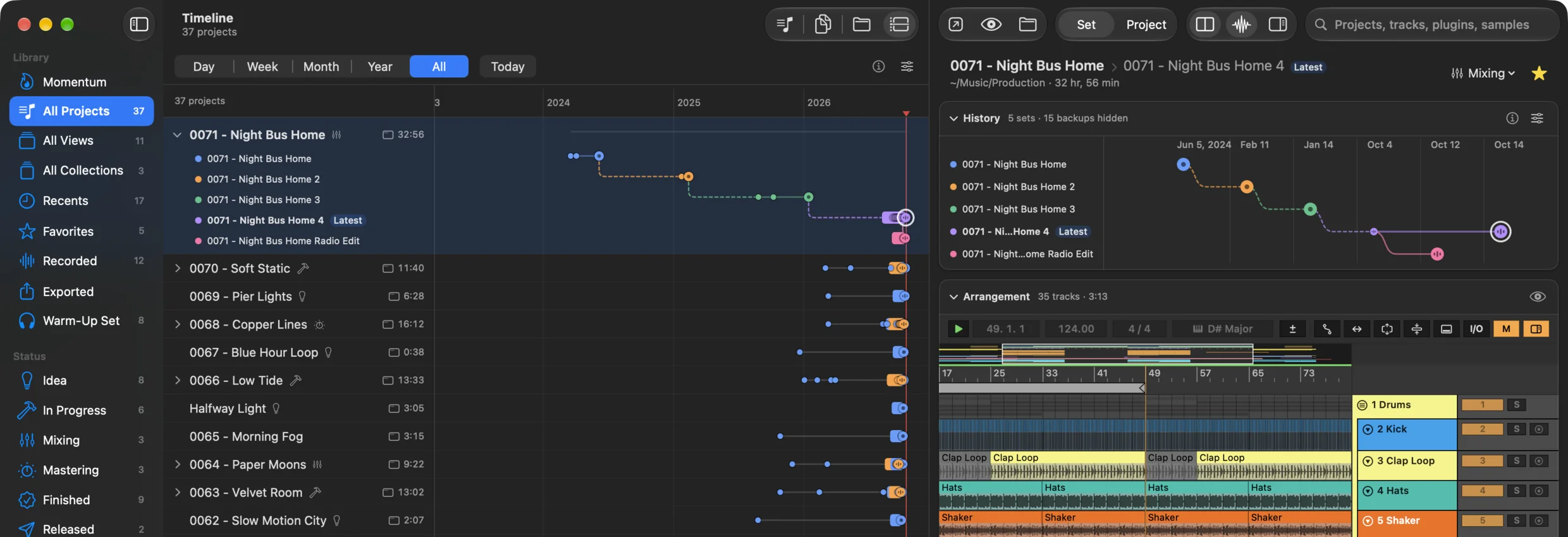
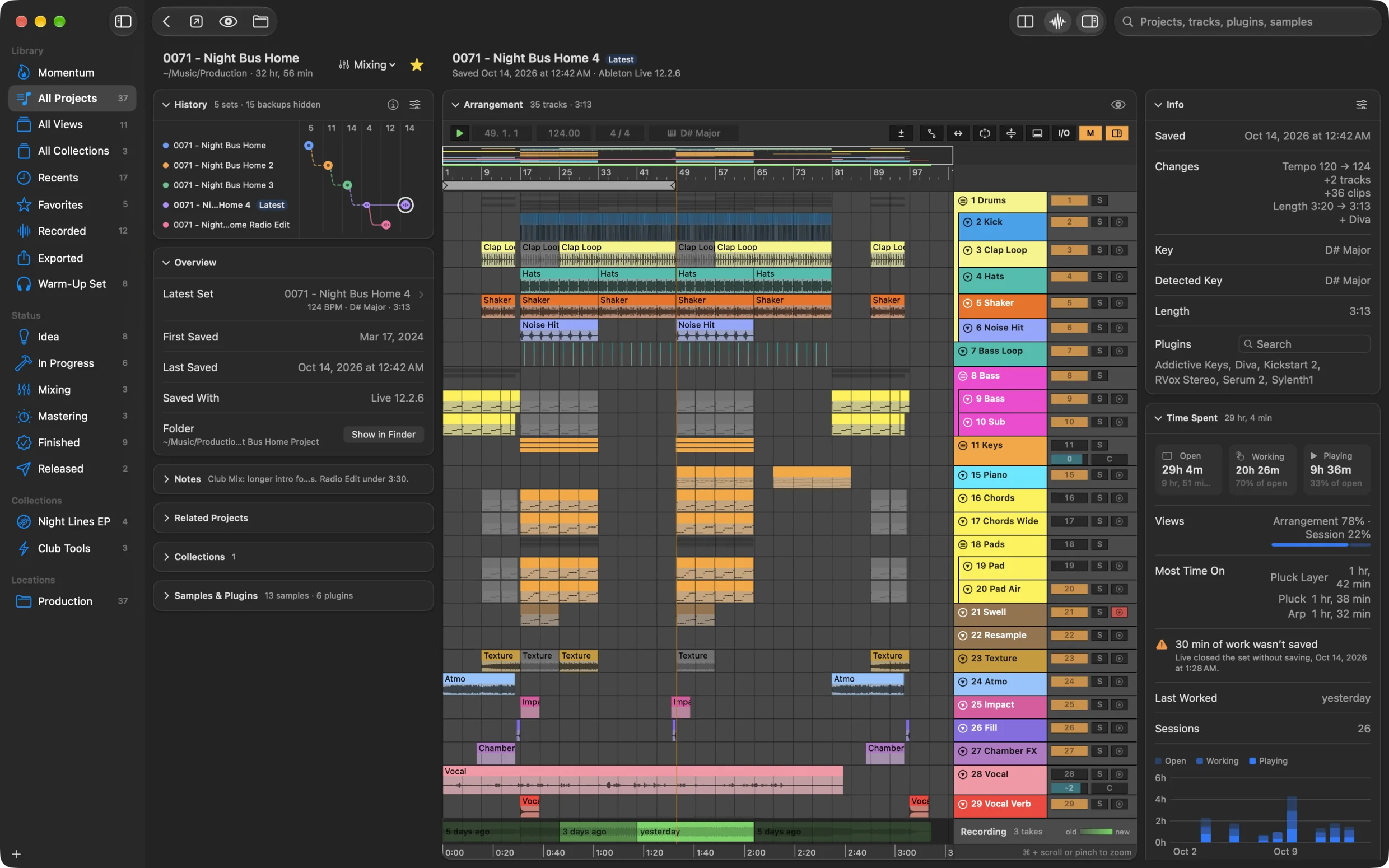
Search your Ableton projects by name, track, plugin or sample, then see the arrangement with audio playback.

Version 2.0 with the free trial is available from 1 November 2026. Until then, the App Store offers the paid version 1.3.
Search
A plugin, a sample, a track name, a tempo. Als Preview searches every set in your library, Live’s backups included, and shows you the projects that match.
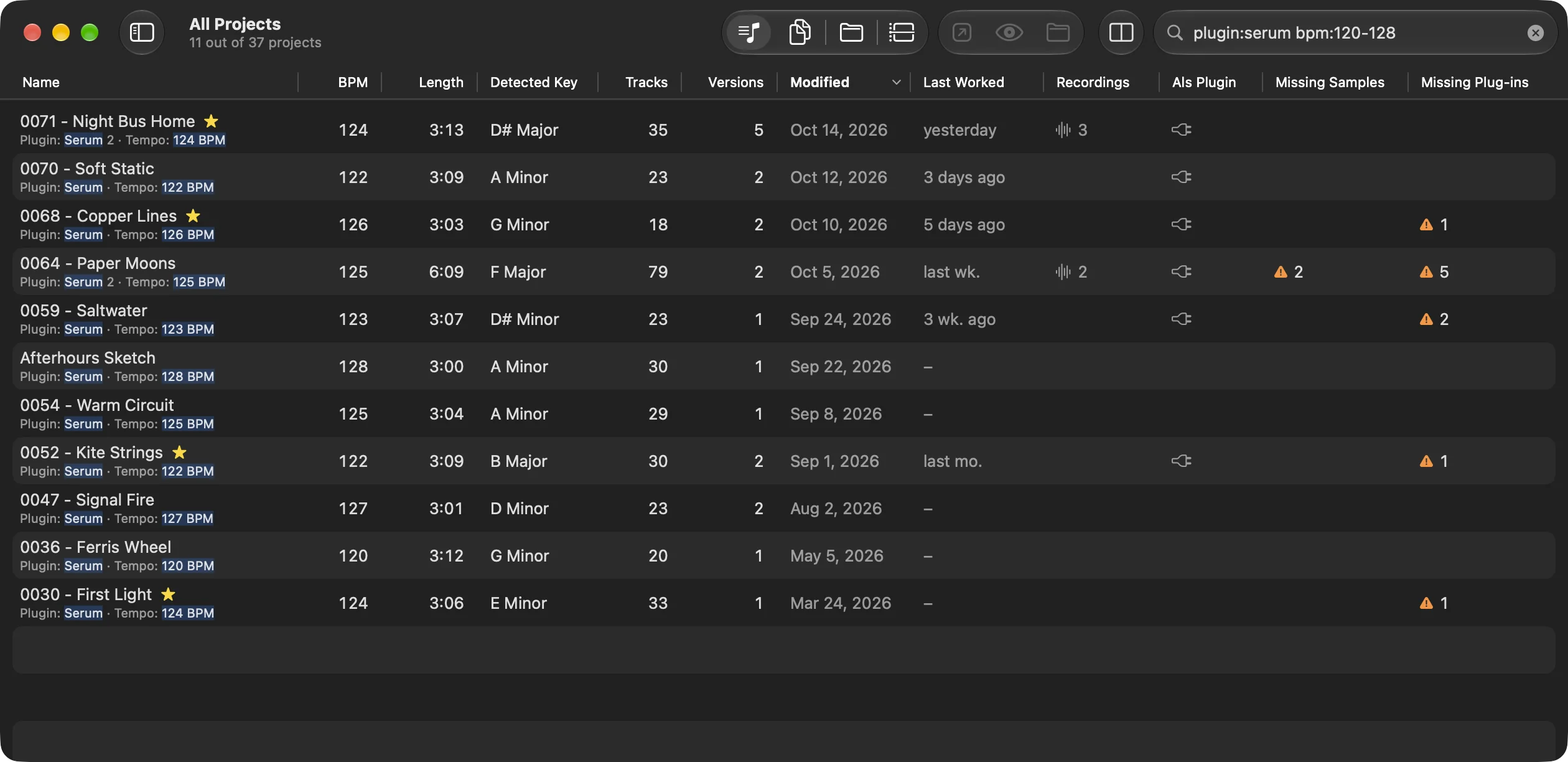
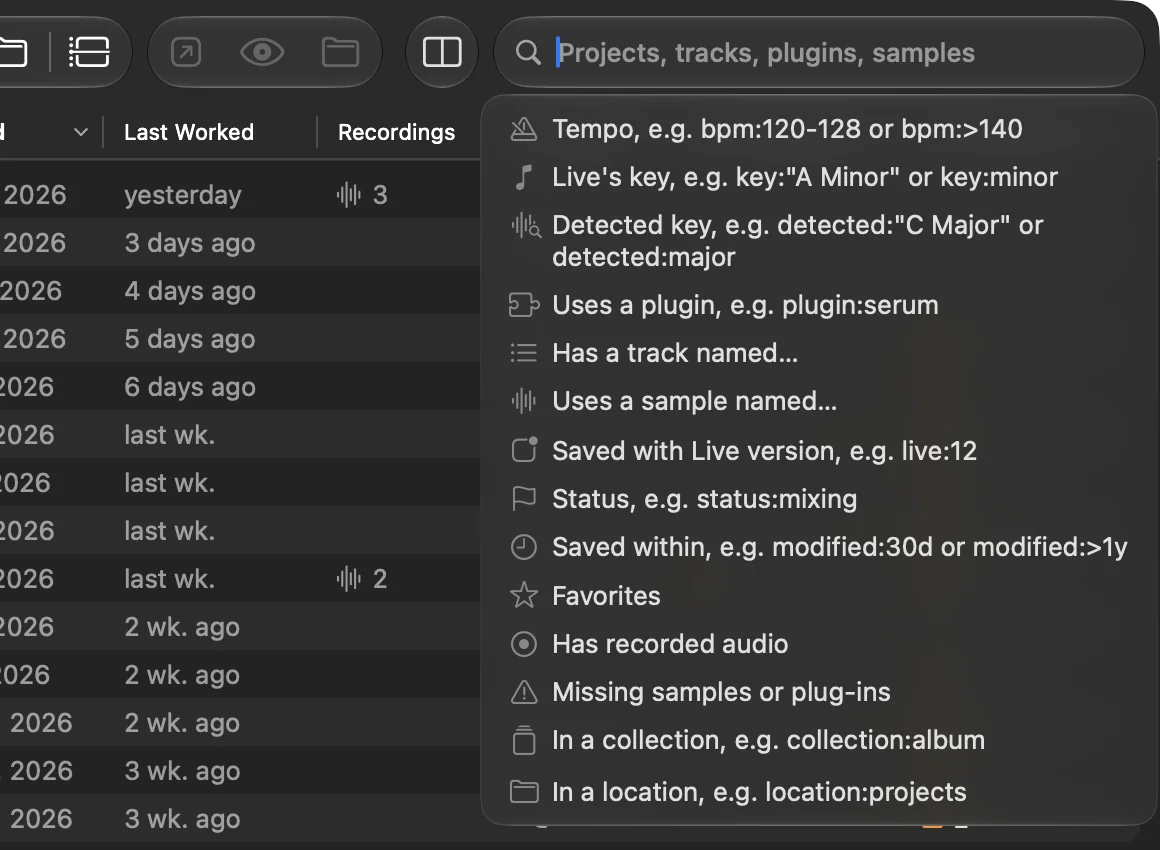
Click into the search field and pick one: bpm:120-128, key:"A Minor", plugin:serum, a track, a sample, a status or a collection.
Thousands of Live Sets narrow down in a fraction of a second, without opening a single one.
Tempo, key, tracks, plugins and samples are read in the background. New saves show up on their own.
Select a set and its Arrangement View is right there: track colors, clips, MIDI notes and waveforms. Live doesn’t have to open, and no plugin has to load.
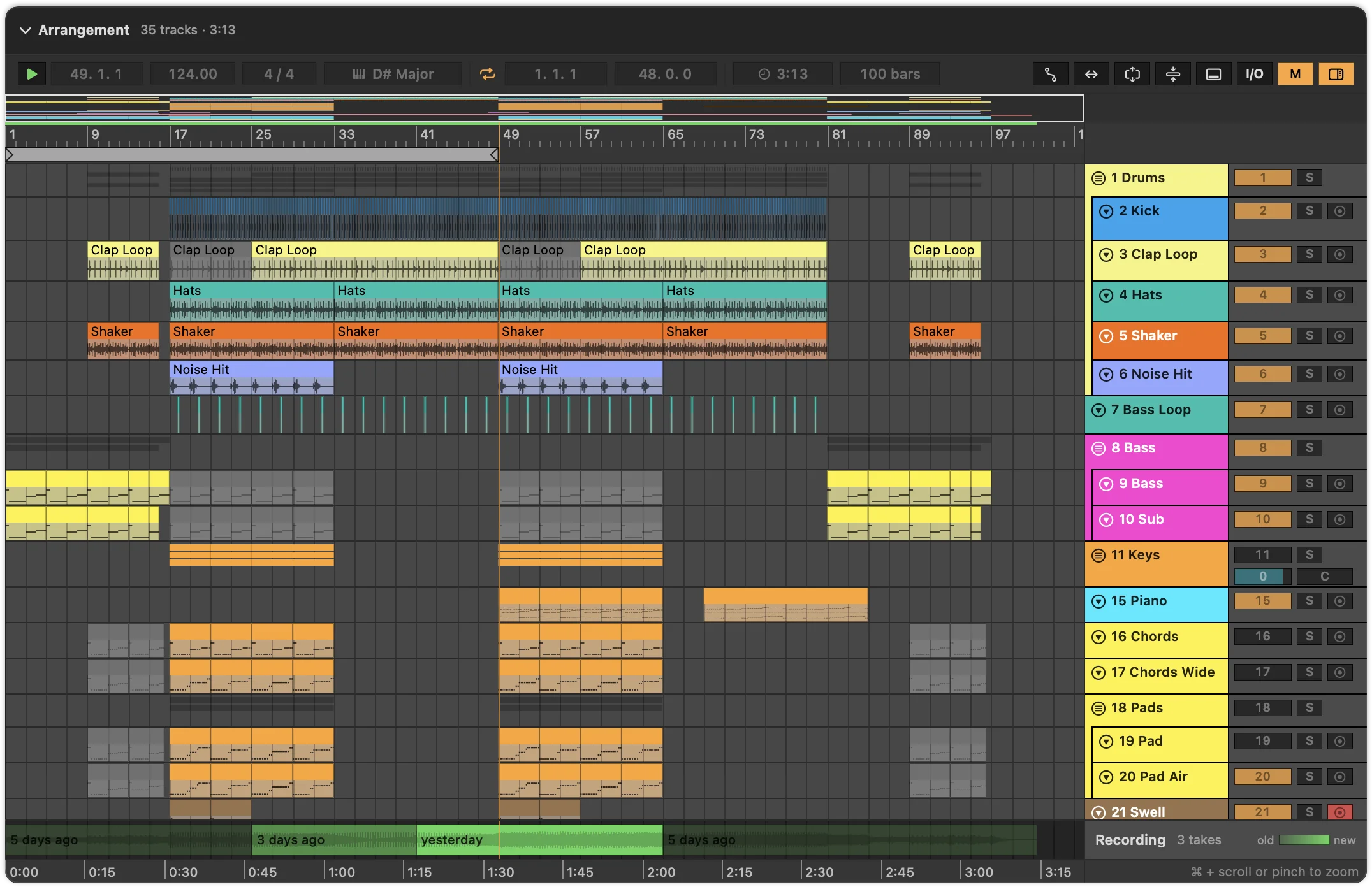
Put the Als Preview plugin on the Main track, and that’s it. It records whatever you play in Live and stitches the newest takes together under the arrangement, ready to play from any bar.
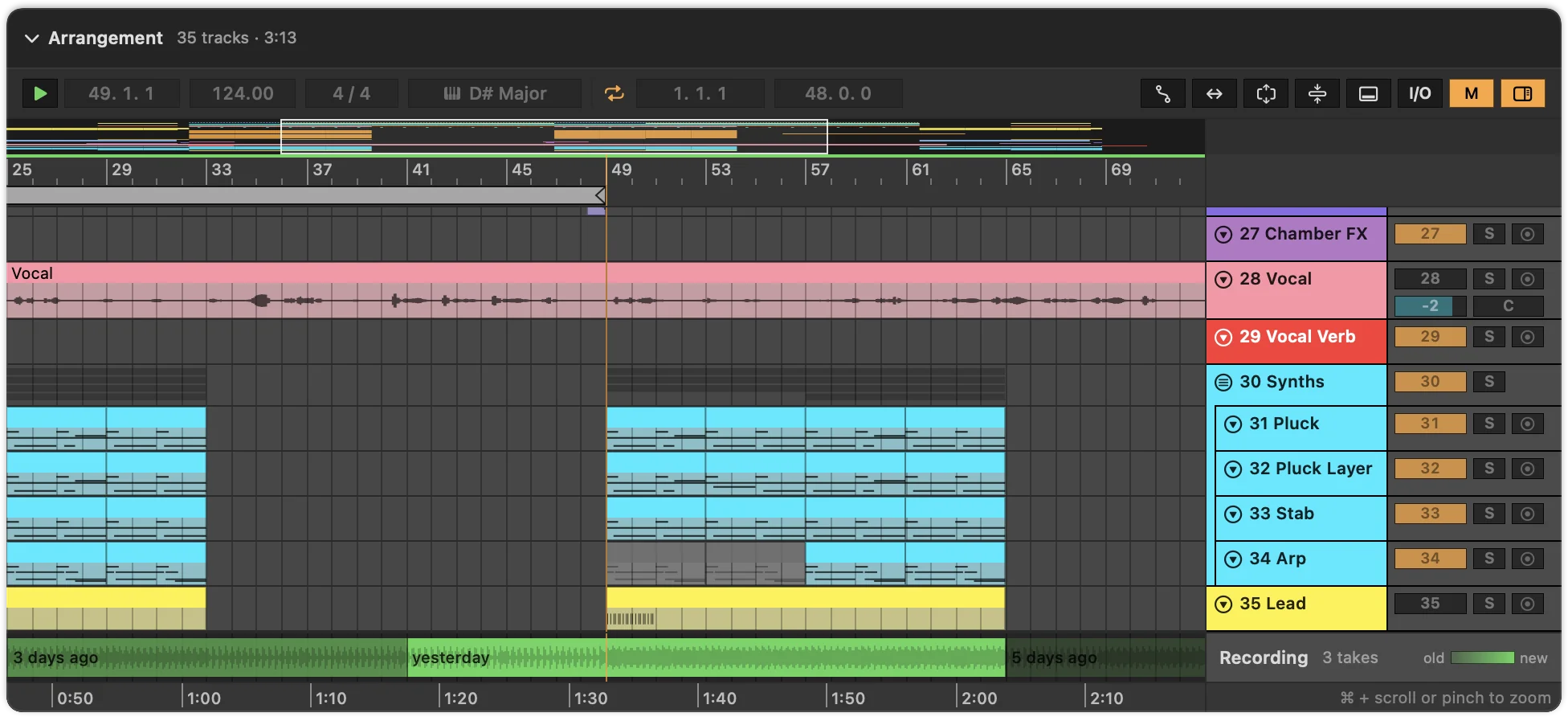
Every stretch you play is recorded in the background. No export, no bounce, no extra step.
Play a part again and the new take replaces the old one there. Seams are crossfaded, and older takes are drawn paler.
Click a bar to set the start marker and press Space. The playhead runs along the clips, through tempo changes too.
It comes with the app, passes your audio through untouched, and gives every set:
Latency from devices on the Main track is compensated, and the audio is saved compressed, about 85 MB per hour. With the optional Remote Script, recording pauses while you solo a track. Set up the plugin · How recording works
Approximate previews
Where the plugin hasn’t recorded a set, Als Preview renders an approximate preview of it, without Live. It plays in blue, and wherever you played the set in Live, your takes win.
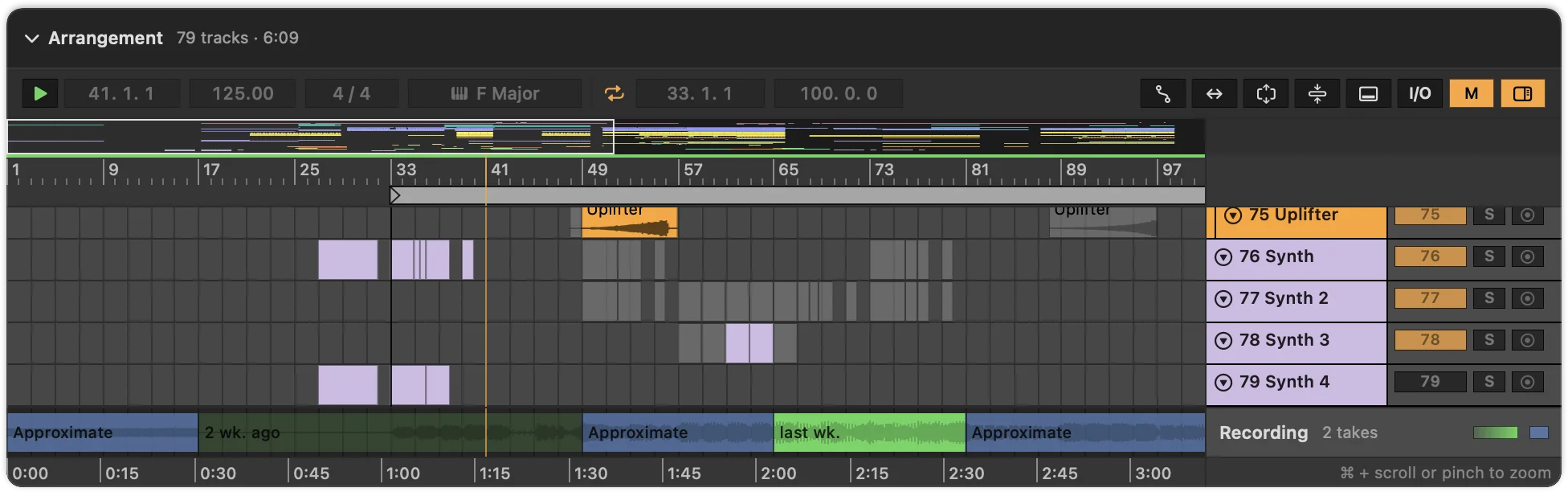
Audio clips, frozen tracks and the samples in Simpler, Sampler and Drum Racks, mixed with the set’s volume, pan and automation, plus the reverbs and delays on its return tracks.
The newest set of each project you changed lately is rendered in the background, so it plays at once, in Quick Look too. Pause it any time from the toolbar.
Plug-in instruments play as a simple stand-in synth, and other effects are left out. For the real sound, put the plugin on the Main track.
Previews stay on your Mac and take about 70 MB per hour of music, 2 GB at most. Choose what’s rendered in Settings. How approximate previews work
Your sets, their Save As copies and Live’s backups line up in one graph. Click a save to open it, or step through them with the arrow keys.

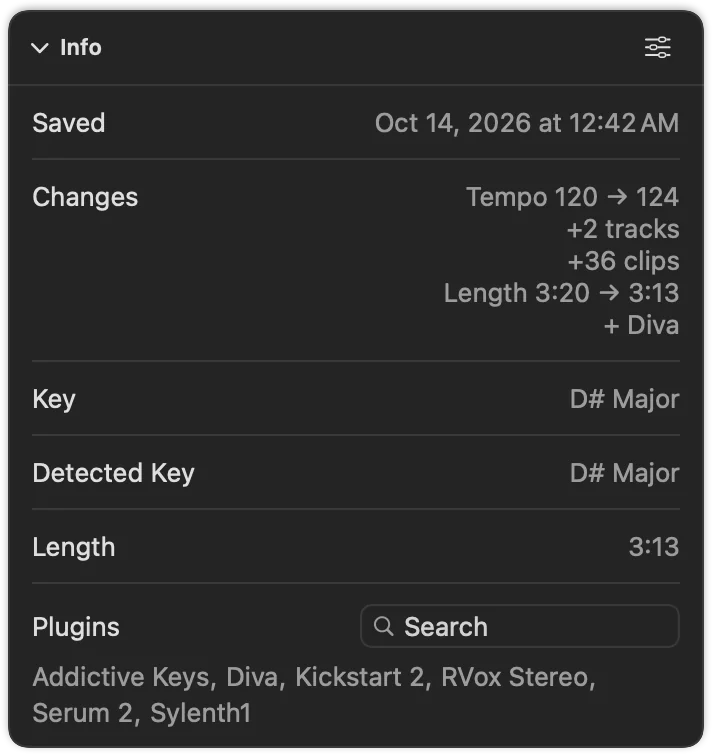
The Info card sums up what’s different from the save before: tempo, tracks, clips, length and the plugins that came or went. With the plugin, the graph knows exactly which save a version came from.
Takes belong to the version of the set they were played on. Select an older save and hear how the song sounded back then.
Compare
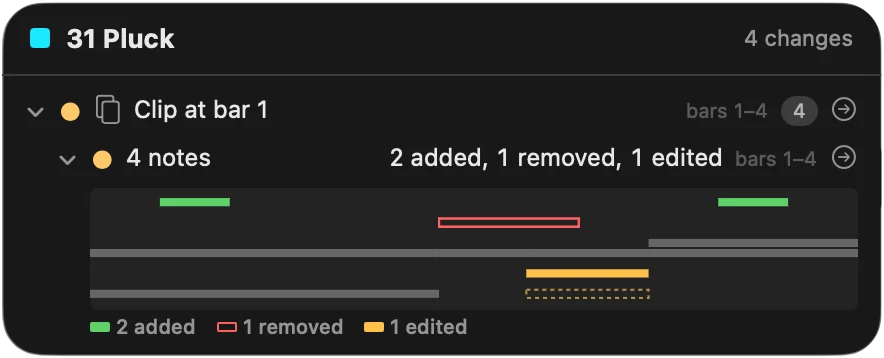
Compare a set with the save before, or with any other set. The arrangement marks new and deleted tracks, moved clips, edited notes, changed automation and every parameter you turned.
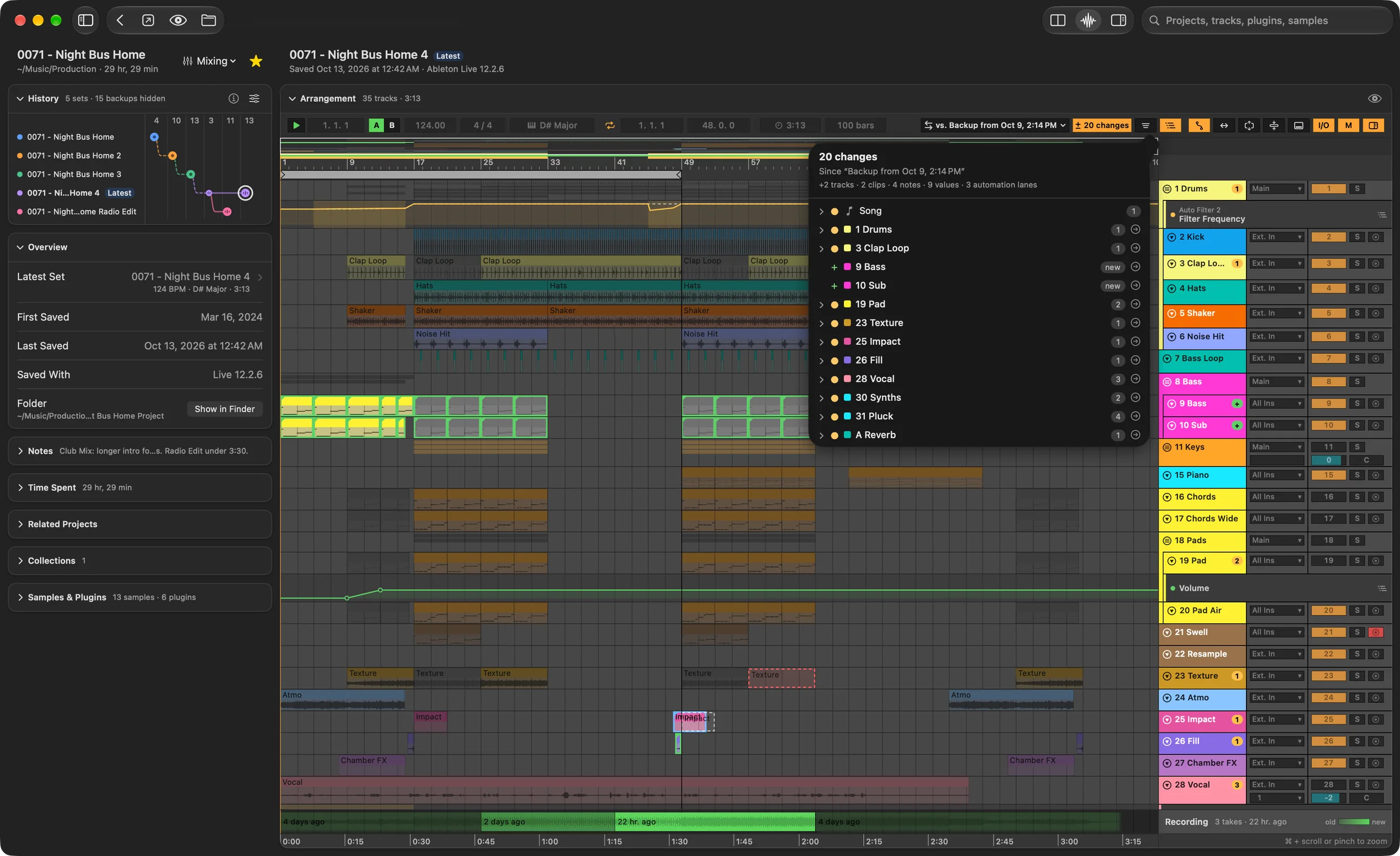
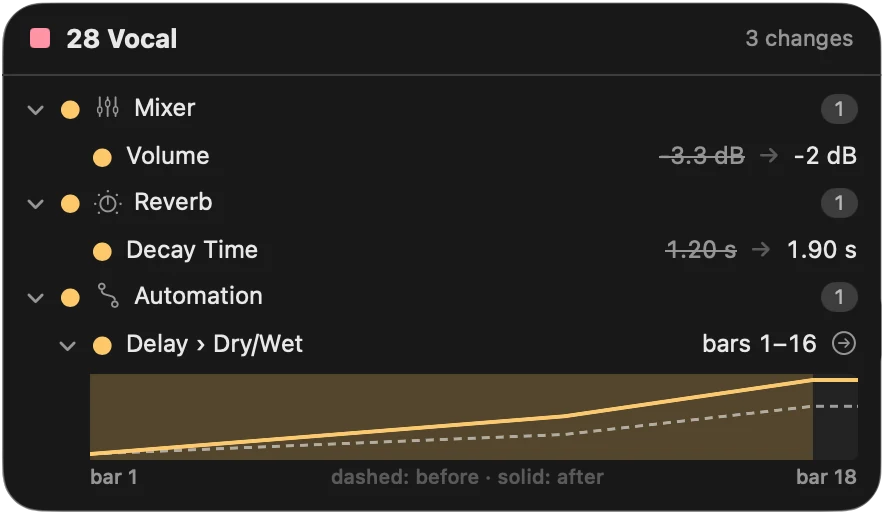
Each track with changes shows how many on its header. Click it for the list: the device, the parameter, and its value before and after. Click a change to jump to it.
Press A to show automation lanes, like in Live. A changed lane draws the earlier curve dashed behind the new one and marks the bars that changed.
Pick another save of the project, one of Live’s backups or any set on your Mac. In History, Option-click a save to compare with it.
With the plugin’s recordings of both versions, switch between them and keep listening from the same bar. A save without a recording plays its approximate preview.
Comparing stays off until you click ± Compare above the arrangement. Plugins that store their settings without names show that something changed, but not what.
Momentum
Rings show what you made, shaped and finished this week, month or year, against goals you choose. Momentum is the first thing you see when Als Preview opens.
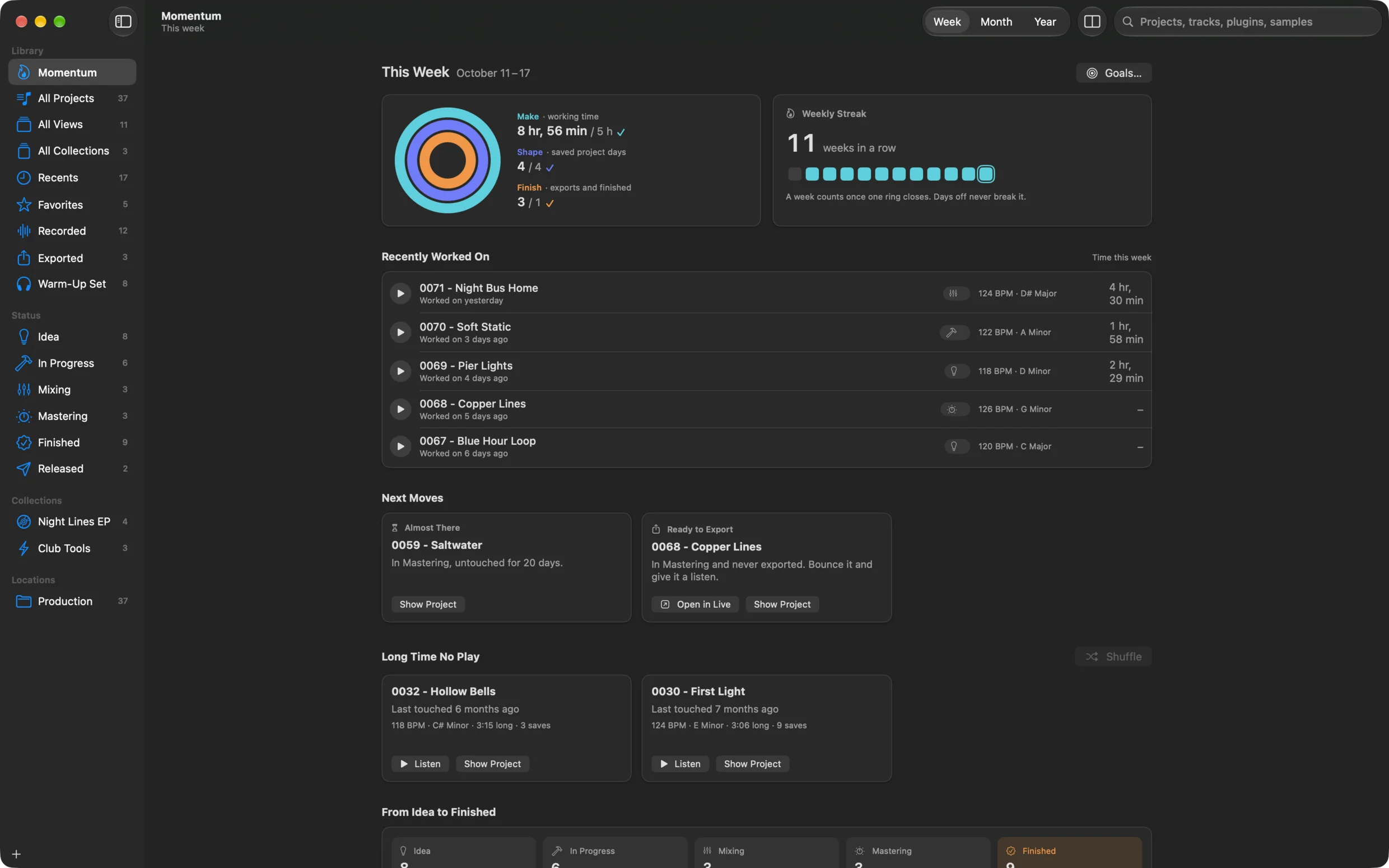
Make fills with the time you worked in Live, Shape with the days you saved a project, Finish with exports and songs marked finished. Or pick up to six of 14 goals.
A week counts once one ring closes. Days off never break it.
Spots the loop you’ve worked on for hours without an arrangement, the mix that has waited for weeks, the master never exported.
Brings back an old project worth another listen, with its export or approximate preview ready to play.
Time Tracking
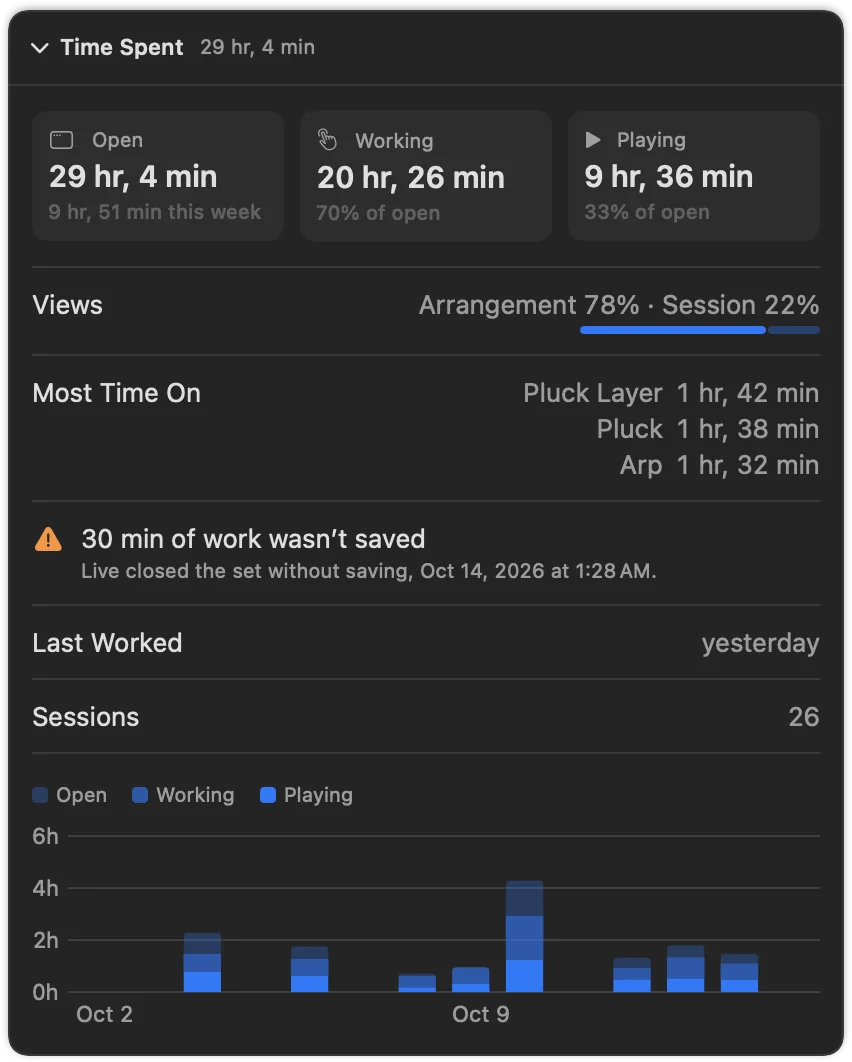
The plugin and the Remote Script note how long each set is open in Live, how long you really work in it and how long it plays. See it for each set, each project and your whole week.
Views
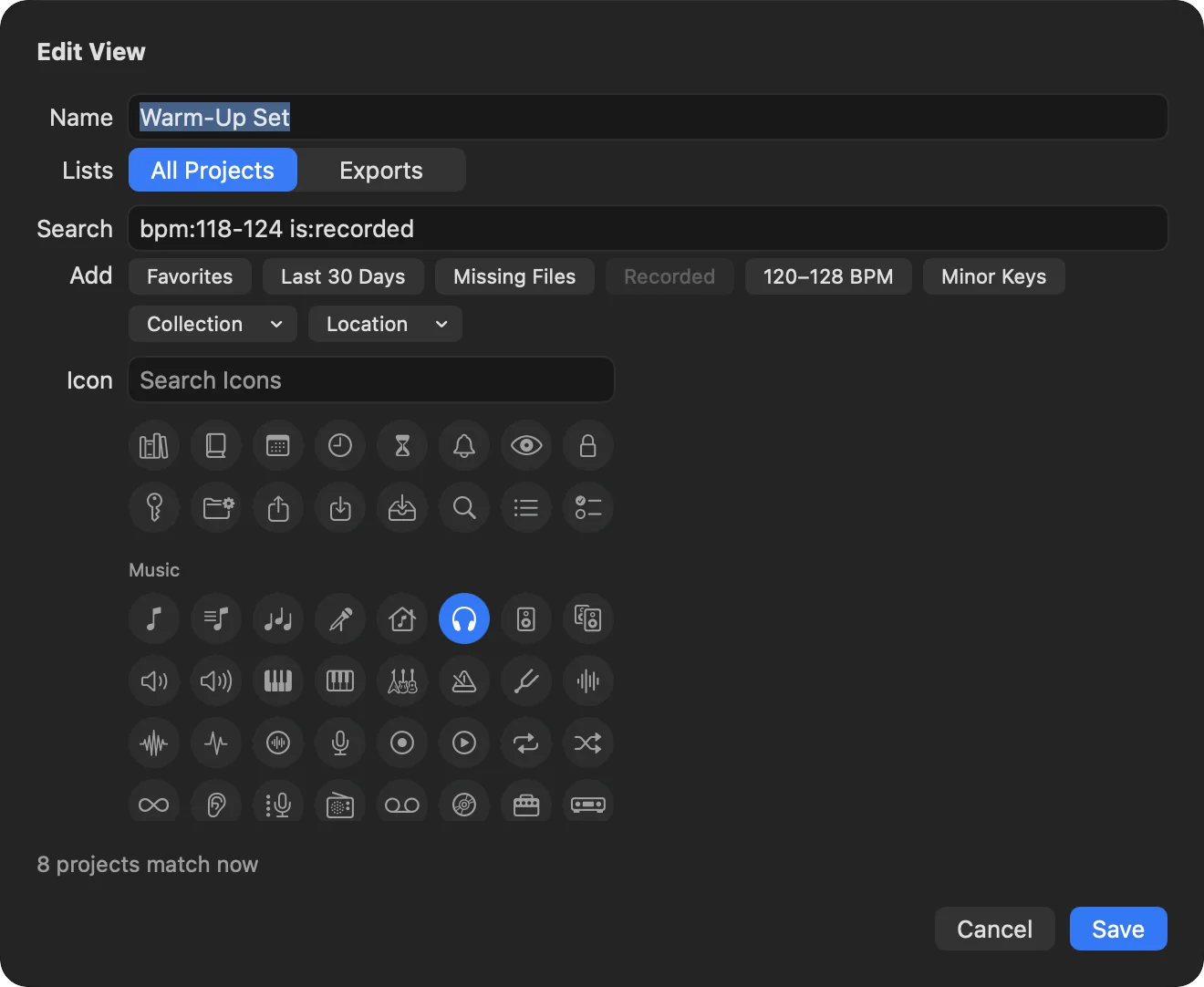
Save any search as a view in the sidebar, with its own columns, sort order and layout. Group your views and collections into sections, and name your own statuses.
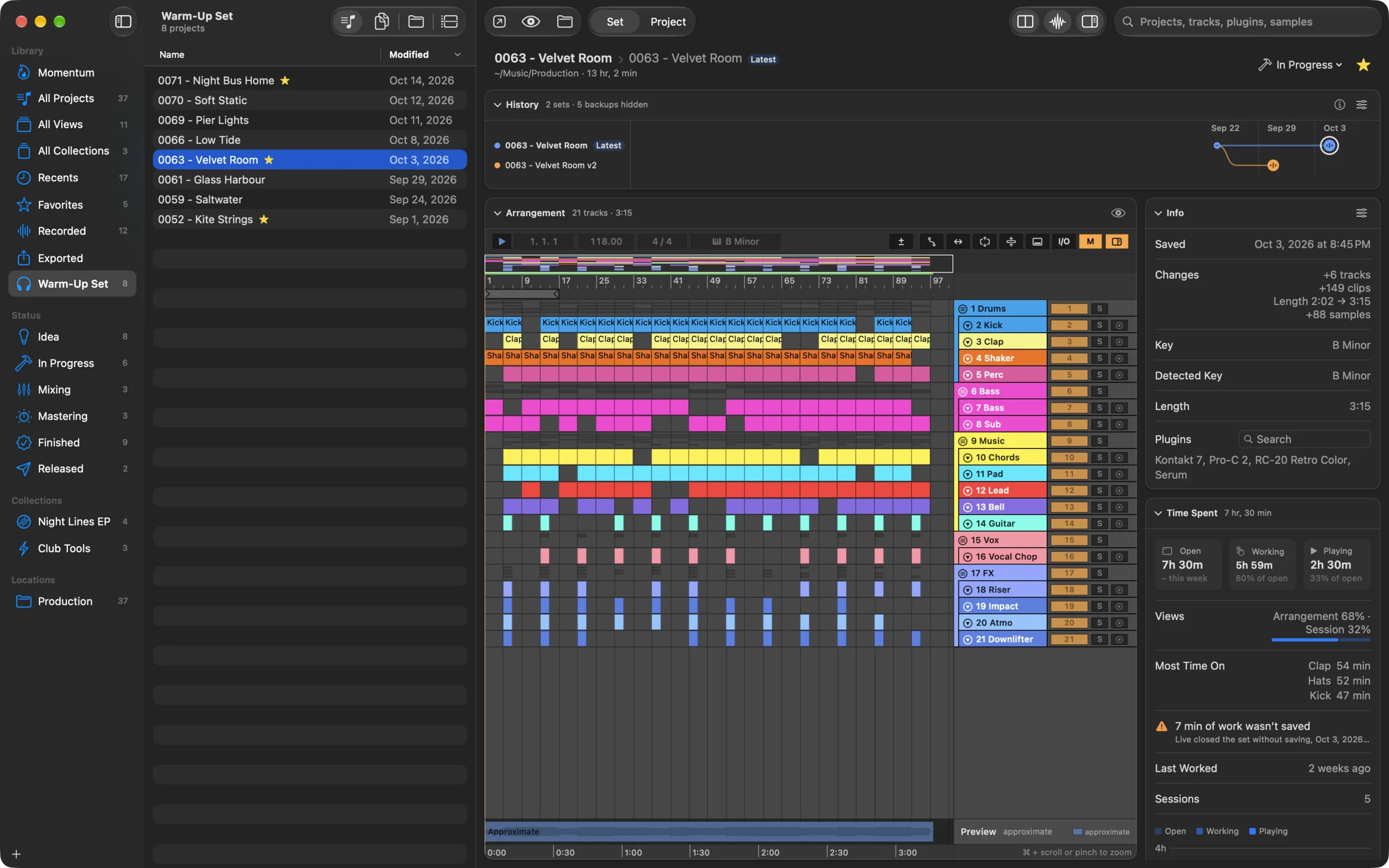
Type a search, choose File › New View, and it lives in the sidebar with an icon of your choice. It always shows what matches now.
Each view, collection and folder keeps its own layout: projects, sets, folders or the timeline, with its columns and sort order.
Idea to Finished to start with. Rename them, add your own, put them in the order your songs go through. Drop a project on a status to set it.
Every project on one time axis, from a single day to the years a song took. Expand one to see its versions branch off.
Select any .als file in Finder and press Space to see its arrangement. Double-click it to hear the recording or the approximate preview.
Live often keeps its default key, C Major. Als Preview looks at the notes you played and detects the real one.
Find a project from Spotlight by name, tempo, key or plugin, and open it with Shortcuts.
Mark where each song stands, star the ones that matter and group them into collections, each with an icon. The statuses are yours to name and order.
With the plugin on the Main track, every file you export shows up with its set, even after you rename or move it.
Shows which samples and plug-ins a set needs that aren’t on your Mac, before you open it. is:missing finds them all.
Select a few projects, or none, and see their time, plug-ins, samples and missing files added up.
Spots the other projects that share samples or a song name with the one you’re looking at.
The plugin window shows the set’s history, status and notes without leaving Live.
The saves Live keeps in each project’s Backup folder are part of your library: search them, play them, compare them.
Collaboration is in the works for a future update.
Have an idea or found a bug? Write to contact@als-preview.de.
Questions and answers
A Mac app for producers who make music in Ableton Live. It reads the Live Sets in the folders you choose, so you can find any of them by name, track, plugin, sample, tempo or key, see the arrangement and hear it without opening Live. It also keeps the history of every save, compares versions, finds your exports and tracks the time you spend on each song.
No. Searching, the arrangement and playback work without Live; it doesn’t even have to be installed. Live is only needed for what happens inside it: the plugin that records what you play (Live 11.2 or later) and the optional Remote Script that tracks your time (Live 11.3.25 or later).
Als Preview runs on macOS 15 Sequoia or later and reads sets saved with Ableton Live 10, 11 and 12. It’s Mac only; there’s no Windows version.
It’s free to download, and everything works for 14 days. After that, one Lifetime purchase unlocks it for good on all your Macs with the same Apple Account. No subscription. The free download comes with version 2.0 on 1 November 2026; until then, the App Store offers the paid version 1.3.
No. Als Preview only reads your sets and never saves into them, moves or renames them. Your library, recordings and time stay on your Mac. There’s no account, and the app sends nothing about you or your music to anyone.
Put the Als Preview plugin on the Main track of your sets once. While you work, it records what Live plays and lines the newest takes up under the arrangement, ready to play from any bar. Where it hasn’t recorded anything, Als Preview renders an approximate preview from the set’s clips and samples.
Live’s browser finds files by name and tags, and Live opens one set at a time. Als Preview looks inside all your sets at once: their plugins, samples, tempo, key and tracks, every saved version, and how they sound. The two work side by side. How Als Preview compares with Live’s browser and other apps
Yes. Select a Live Set in Finder and press Space, and Quick Look shows its arrangement. Double-click it to hear the recording or the approximate preview.
Free to download. Try everything for 14 days, then unlock it with a one-time purchase. No subscription.
For macOS 15 or later. Reads sets from Ableton Live 10, 11 and 12.
How Als Preview compares with Live’s browser and other apps
Version 2.0 with the free trial is available from 1 November 2026. Until then, the App Store offers the paid version 1.3.