 Als Preview
Time and exports
Exports
“Which bounce was the one I sent?” With the plugin on a set, every file you export from it shows up with its project, even after you rename or move it.
How it works
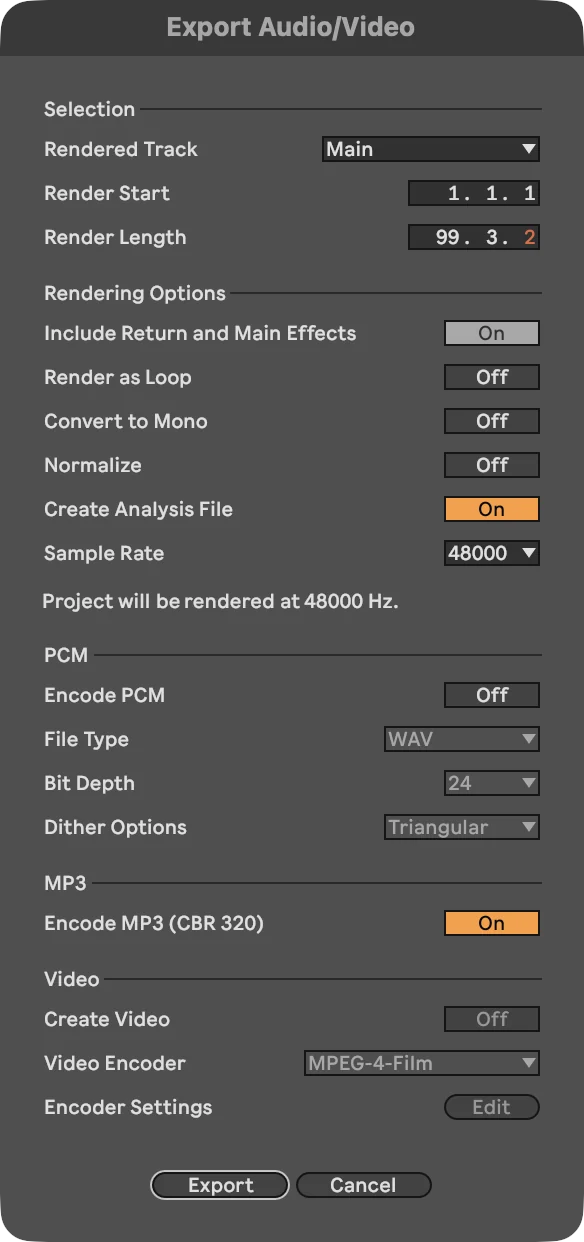
- You export in Live with File › Export Audio/Video. Live renders the arrangement through the Main track, and the plugin on it, much faster than real time.
- The plugin notices: when Live renders more than twice as fast as the clock, it’s an export. The plugin logs when the export started and finished, how long it is and which bars it covers.
- Als Preview finds the file that was written at that time and has that length, in your export folders or the project’s own folder. A WAV and an MP3 of the same export both count.
- It remembers the file by its sound, so it still finds it after you rename it, move it or edit its tags.
The export is also kept as a take, so after exporting the whole song, the Recording lane has all of it.
Setting it up
- The set needs the plugin on its Main track, and the export has to render the Main track (Live’s default, Rendered Track: Main).
- Exports saved into the project’s own folder are found without anything else.
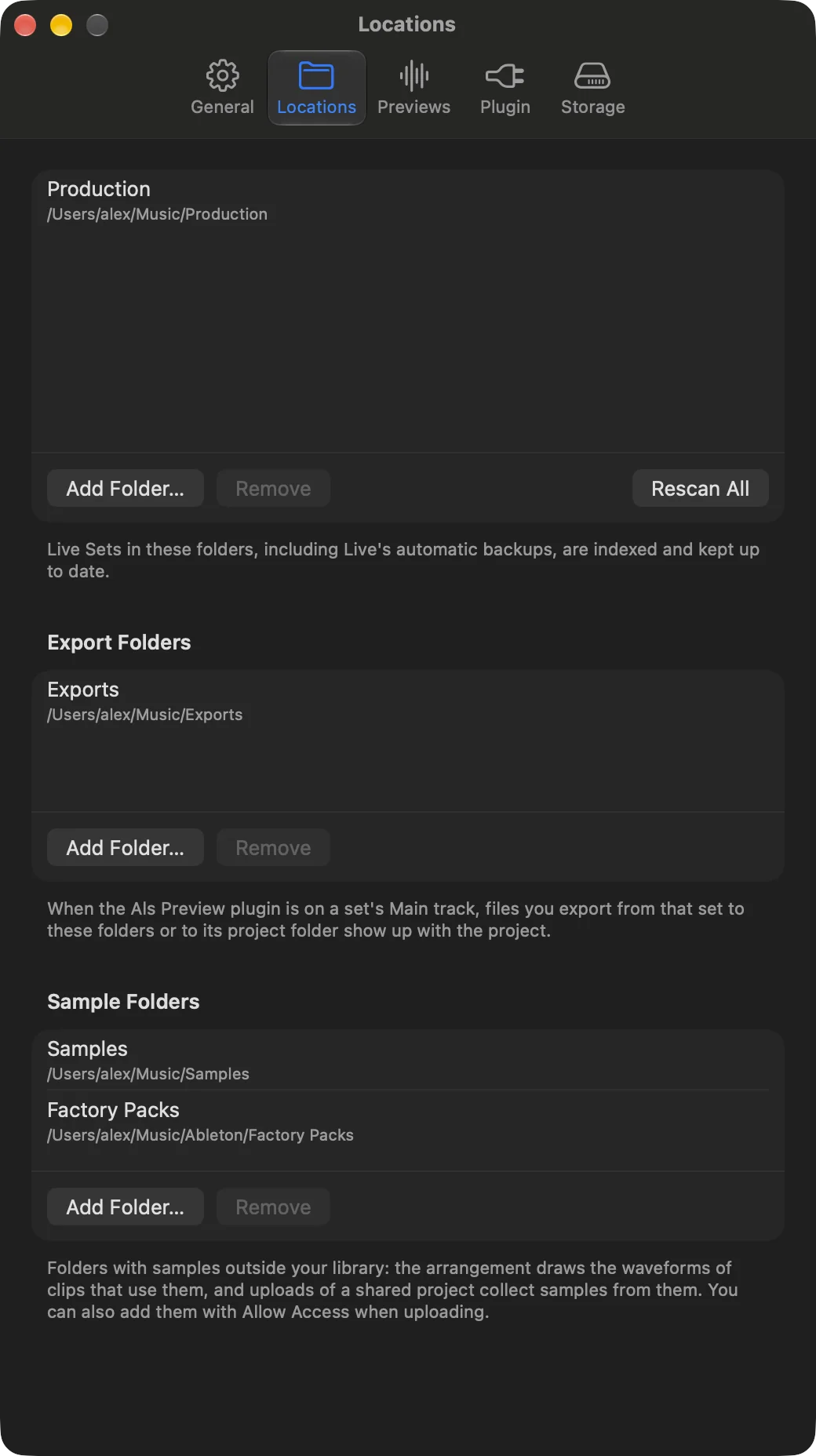
- If you export somewhere else, for example one folder for all your bounces, add that folder in Settings › Locations › Export Folders. Its subfolders count too.
Where exports show up
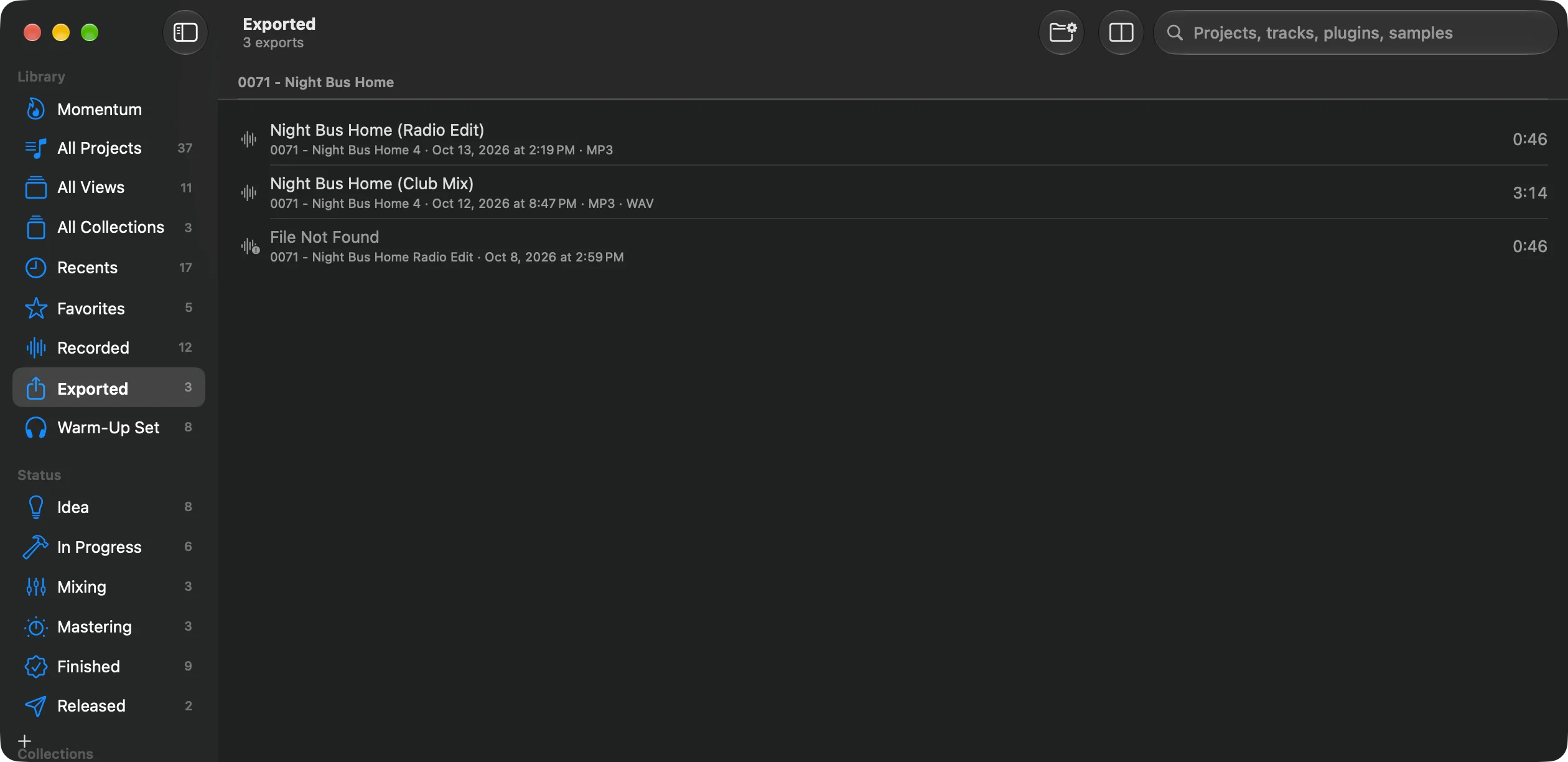
- Exported in the sidebar lists every export, grouped by project. Select one to play it, see its range in bars, format, size and location, and open its set. It’s a view: a view of your own that lists Exports shows only the exports of sets that match its search, for example
plugin:serum. - The set’s and the project’s Exports cards list the files exported from them. Double-click a file to open it, drag it into a mail or a DAW.
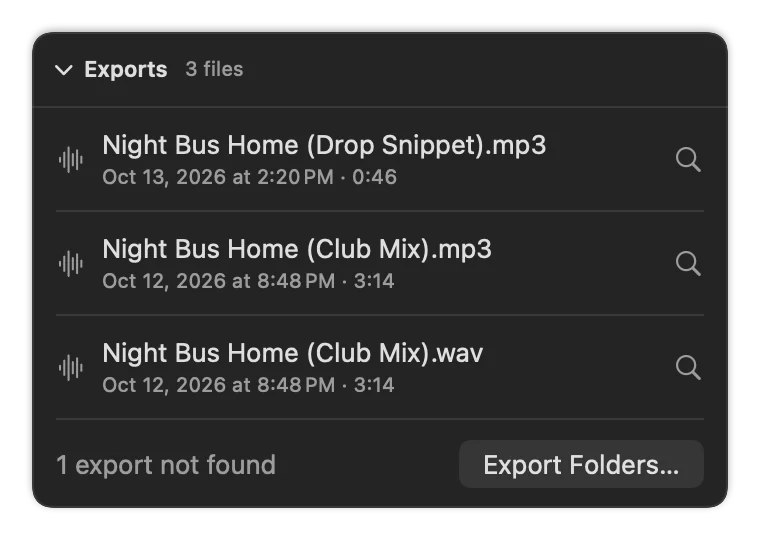
Control-click an export for Open, Quick Look, Show in Finder, Open Set in Live and Show Set in Library. In the Exported view, Space plays the selected export.
An export of a minute or longer also counts as a finish for Momentum’s Finish ring, and Momentum plays a project’s newest export from its page.
“Not found”
An export marked File Not Found was logged by the plugin, but no file of that length was written to an export folder or the project folder at the time. Usually the file is in a folder Als Preview doesn’t know: add it in Settings › Locations, and it’s found right away.
Renaming, moving, copying
| You… | Als Preview… |
|---|---|
| rename the file | still finds it. |
| move it within your export folders | still finds it. |
| copy it, download it again, edit its tags | finds it by its sound. |
| move it out of all export and project folders | can’t see it any more: it may only read those folders. |
| re-encode or edit the audio | treats it as a different file. |